 Posted by: Bamric Security Team
CAN (Controller Area Network) is a communication protocol used mainly in vehicles to allow different electronic devices — called ECUs (Electronic Control Units) — to talk to each other. Each ECU is responsible for a specific function in the car. For example:
So in simple terms, CAN protocol enables communication between all these ECUs.
Imagine a car: to function properly, multiple ECUs must work together. The Engine ECU needs to know when the Brake ECU activates so it can reduce speed. This coordination is possible because of CAN protocol, which allows ECUs to exchange messages efficiently.
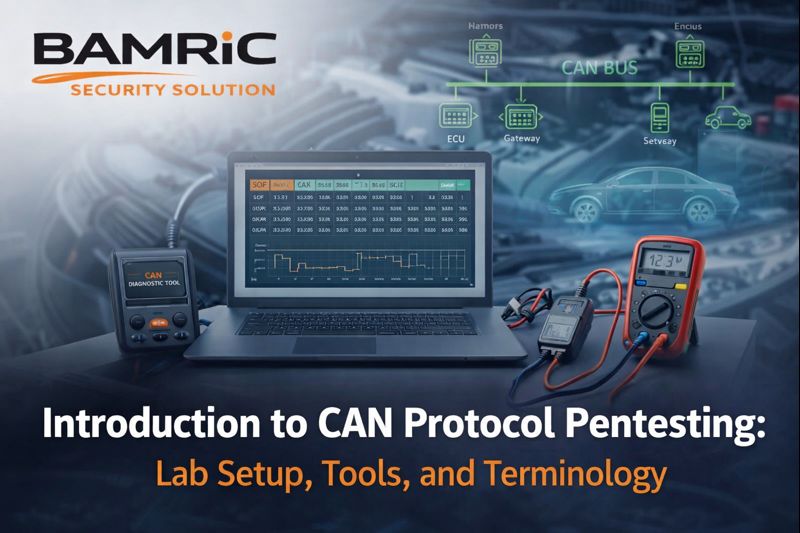
So basically The CAN protocol works by allowing electronic control units (ECUs) in a vehicle to communicate over a shared two-wire bus (CAN_H and CAN_L), where each ECU broadcasts messages with a unique CAN ID, and all other ECUs on the bus receive these messages but only act on the ones relevant to them.This enables efficient, real-time, and fault-tolerant communication without needing a central controller.
Fault-tolerant communication means the system keeps working properly even when there are errors or hardware failures.
Example:
In a car, if one of the CAN wires (CAN_H or CAN_L) is damaged, the other can still carry data. So the ECUs keep communicating, and the car keeps running safely — just with limited functionality.
That’s one of the main reasons why the CAN protocol is so widely used and trusted in almost every modern car — it ensures reliable, real-time, and fault-tolerant communication between critical vehicle components.
10. OBD-II Port
The diagnostics port is usually found under driver’s side the dashboard. It gives access to the CAN network for testing or diagnostics.For Example, Mechanics use it to scan faults; pentesters use it for injecting messages
11. DBC File (Database CAN)
A file that defines how to interpret CAN messages (e.g., what each byte means). It’s like a “dictionary” for decoding raw CAN data into human-readable values.
To simulate CAN communication without real hardware, we use vCAN — a virtual CAN interface provided by the Linux kernel. This lets you practice sending, sniffing, and analyzing CAN messages just like you would on a real vehicle network.
sudo modprobe vcan
This command loads the vcan module into the Linux kernel, enabling virtual CAN support.
2. Add and Enable the vcan0 Interface
sudo ip link add dev vcan0 type vcan
sudo ip link set up vcan0
These two commands create a virtual CAN interface named vcan0 and then activate it. This interface behaves like a real CAN bus—perfect for local testing and pentesting practice

3. Test Your Virtual CAN Setup
Terminal 1 — Monitor Live CAN Traffic:
candump vcan0
This command listens for and displays all CAN messages coming through vcan0, like a packet sniffer for CAN traffic.
Terminal 2 — Sending a Test Message:
cansend vcan0 123#11223344
This sends a CAN frame with ID 0x123 and data 11 22 33 44 onto the vcan0 interface. You’ll see this message appear in Terminal 1.
Output Example in Terminal 1:

This virtual setup is perfect for practicing CAN protocol pentesting, message fuzzing, replay attacks, and more — all without needing a real car or expensive hardware.
If you’re looking to practice and deepen your understanding of CAN protocol attacks, here are two excellent open-source labs you can explore:
Vahaka by AmynaSec Research Labs
An advanced CAN pentesting lab that simulates real-world automotive scenarios. Ideal for practicing fuzzing, replay, and diagnostic attacks in a controlled environment.
ICSim — Instrument Cluster Simulator
A popular virtual CAN lab that lets you interact with a simulated car dashboard. Great for beginners to learn CAN traffic generation, observation, and manipulation using can-utils.
can-utils is a collection of command-line tools built for working with the SocketCAN (SocketCAN is a set of Linux kernel modules and user-space tools that allow CAN communication to be handled just like a regular network socket (like TCP or UDP). It provides a standard way to interact with CAN devices on Linux systems) interface in Linux. It lets you send, receive, and manipulate CAN messages in real-time
can-utils:candump – Sniffs and logs CAN trafficcandump vcan0cansend – Sends CAN frames manuallycansend vcan0 123#11223344canplayer – Replays recorded CAN trafficcanplayer -I logfile.logcansniffer – Highlights live-changing values on the buscansniffer vcan0cangen – Generate CAN Traffic and sends random or specified CAN frames for testing, fuzzing, or stress-testing the bus.cangen vcan0 -g 0 -L 8 -D rsudo apt install can-utils

cantools is a powerful Python-based library and CLI tool used to decode and encode CAN messages using DBC files. It’s ideal for making sense of raw CAN data by mapping message IDs and payloads to human-readable signals
pip3 install cantools

Apart from cantools & can-utils other popular CAN pentesting tools include SavvyCAN, Wireshark, , python-can, ICSim, Kayak etc—used for sniffing, fuzzing, decoding, and ECU simulation.
In this introductory blog, we explored the fundamentals of CAN protocol, the backbone of communication in modern vehicles. We covered essential concepts such as what CAN is, key terminologies, tools used in CAN pentesting, and how to set up a virtual CAN lab using tools like vcan, can-utils, and cantools.
By building a strong foundation and preparing lab environment, we are now equipped to move toward hands-on CAN security testing. In the next blog, we’ll take this knowledge further and demonstrate real-world attacks on the CAN bus, including Replay, DoS, Fuzzing, and Firehose attacks.
Stay tuned — your journey into automotive pentesting has just begun
Bamric Security Solutions, Believes in providing top-notch security. Let’s make cyberspace a safer place together.