
 Posted by: Bamric Security Team
In the previous blog, ”Introduction to CAN Protocol: Pentesting Lab Setup, Tools & Terminology”, we explored the fundamentals of the CAN protocol — what it is, key terminologies, essential tools, and how to set up a local virtual lab using vCAN.
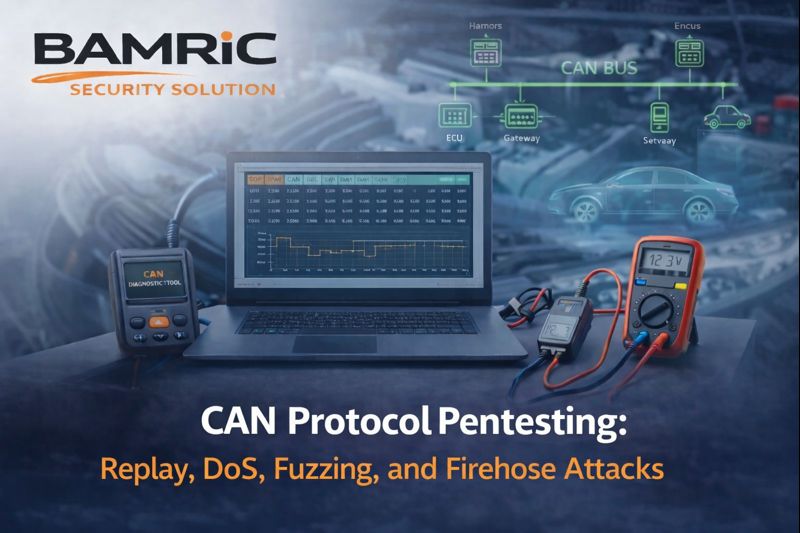
In this blog, we’ll dive into the practical side: how to start pentesting the CAN protocol. We’ll cover how to capture (dump) CAN traffic, analyze and decode messages, and perform common attacks like Replay, Denial of Service (DoS), Fuzzing, and the Firehose attack — all within a safe testing environment.
When performing a pentest on a vehicle, one of the first things to check is whether the car uses the CAN protocol — which is the most widely used communication protocol in modern vehicles, including EVs and traditional combustion engine cars.
To confirm if the vehicle uses CAN, we need to capture (or dump) the in-vehicle communication traffic and analyze it. This helps us observe how different ECUs (like brakes, engine, etc.) communicate, and whether the protocol in use matches the structure of CAN messages.
1. Connect to the Vehicle’s OBD-II Port

2. Trigger Vehicle Functions
3. Dump CAN Communication Using can-utils
Assuming your CAN interface is active (e.g., can0 for a real device or vcan0 for a virtual one), use the following command to monitor live CAN traffic:
candump vcan0

Note: vcan0 is used in virtual lab setups. For real hardware, the interface will usually be named can0, can1, etc.
This command will start displaying all CAN frames being transmitted on the bus, including CAN IDs and payload data.
Save CAN Communication Logs for Analysis
To save the output for later analysis or replay:
candump vcan0 > dump.log
This will store all captured CAN messages into a file named dump.log, which can later be used with tools like canplayer, cantools, or custom scripts.
Now that we’ve successfully captured CAN messages, the next step is to understand how to read and interpret them, which is essential for performing targeted attacks or analysis.
Let’s break down a sample CAN Frame line by line:
vcan0 123 [4] 11 12 13 14

Breakdown:
vcan0 – This is the CAN interface. In our case, it's a virtual CAN interface used for lab testing. In real-world scenarios, it would be something like can0.123 – This is the CAN ID. It defines the type of message and its priority. Different ECUs use different CAN IDs.For example,ID 123 might represent speed, while another ID might control braking.[4] – This indicates the data length. Here, the message contains 4 bytes of data.11 12 13 14 – This is the payload or data field. These hex values carry the actual signal or command.For example, these values could represent the car’s speed, RPM, or button presses, depending on the DBC or decoding logic.By analyzing the CAN ID and payload, we can start to understand what the vehicle is doing — and more importantly, which messages we might want to spoof, replay, or manipulate during an attack.
Once you’ve captured a CAN frame, you’ll notice that the payload (the data field) appears in hexadecimal format and is not human-readable. This is where a DBC file comes into play.
A DBC (Database CAN) file acts like a blueprint that tells you:
Without this file, the payload is just meaningless hex.
Each car manufacturer (OEM) creates its own custom DBC files. They’re not usually public, but here are some ways to obtain or create one:
cantoolsOnce you have a DBC file and a CAN log file, you can decode the raw payload
1. Capture and Save CAN Communication
Use the following command to log CAN traffic in Vector ASCII format (.asc), which is compatible with decoding tools like cantools:
candump -L vcan0 > canlog.asc
This will save all observed CAN frames from the vcan0 interface into a file named canlog.asc
2. Decode the CAN Payload Using a DBC File
Once the traffic is logged, you can decode the messages using cantools and your DBC file:
cat canlog.asc | cantools decode — single-line vcan.dbc

canlog.asc – Our recorded CAN trafficvcan.dbc – The DBC file used to decode the messages--single-line – Displays decoded output in a compact, readable format
This will convert raw CAN IDs and payloads into human-readable signals based on definitions in vcan.dbc.
Now that we’ve learned how to capture CAN communication and decode the data payload using a DBC file, it’s time to move on to the practical part of CAN protocol pentesting.
In this section, we’ll explore how to perform common and impactful attacks on the CAN bus, including: Replay Attacks,Denial of Service (DoS), Fuzzing Attacks,Firehose Attacks.
These attacks will help you understand how real-world vulnerabilities in vehicle communication can be discovered and exploited during security assessments.
A Replay Attack involves capturing a valid CAN message and then re-sending (replaying) it to trigger the same action again — without needing to perform the original action.
Example:
When you unlock a car using the key fob, a specific CAN message is transmitted to the central locking system. An attacker can capture this message during the unlock process and later replay the exact same message to unlock the car again, without using the key.
While a specific action is performed (e.g., unlocking the car, pressing the brake), start capturing the CAN traffic:
candump -L can0 > original_message.asc
2: Identify the Relevant CAN Frame
Open the captured file and look for a consistent CAN ID and payload that corresponds to the target action using dcd file.
cat canlog.asc | cantools decode — single-line vcan.dbc
3: Replay the Captured Message
cansend can0 123#11223344
This will replay the same command. If it’s a valid control message (e.g., unlock, brake), the vehicle system will respond as if the action was performed again.
4. Use canplayer to Replay All Logs
If you captured a full log and want to replay everything then use this
canplayer -I original_message.asc

This replays all the captured messages in the same sequence and timing.
A DoS (Denial of Service) attack on a CAN bus aims to flood the network or block high-priority communication, effectively disrupting or freezing the normal operation of critical ECUs.
Since CAN follows a priority-based arbitration system, an attacker can continuously send high-priority messages (low CAN IDs), preventing other ECUs from sending their legitimate messages.
For example,an attacker repeatedly sends fake CAN frames with a very low CAN ID (e.g., 0x000), which wins arbitration every time. As a result, ECUs like the engine, brakes, or airbags can no longer send or receive their messages, potentially making the vehicle unresponsive or unsafe.
cangen is part of the can-utils package and is used to generate random or patterned CAN frames. You can control the rate, ID range, data length, and payload content—making it ideal for High-Traffic Simulation on the CAN bus.
Steps to Perform a DoS Attack
cangenUse the following command to flood the CAN bus with high-priority traffic using CAN ID 0x000:
cangen vcan0 -g 0 -I 000

vcan0 – Your CAN interface-g 0 – Gap of 0 ms between messages (sends as fast as possible)-I 000 – Fixed CAN ID 0x000, the highest-priority IDThis command overwhelms the bus, causing message starvation for all other ECUs.
2. Observe the Impact in Another Terminal
candump vcan0

You’ll mostly see the repeated flood of 0x000 messages, and other legitimate CAN traffic will be blocked or delayed.
3. Stop the Attack
Use Ctrl + C to stop cangen at any time.
A Fuzzing Attack involves sending random or malformed CAN frames to the network in order to discover vulnerabilities in how ECUs handle unexpected or invalid data. The goal is to trigger crashes, abnormal behavior, or unintended actions, revealing potential flaws in the vehicle’s software or logic.
Since most ECUs assume incoming data is trusted, they may not have proper error handling — making them vulnerable to fuzzing.
For example, an attacker floods the CAN bus with frames containing random data fields and unknown CAN IDs. If one ECU crashes, reboots, or behaves unexpectedly (e.g., turns on headlights or disables brakes), it indicates a possible security flaw.
Steps to Perform a Fuzz Attack Using cangen
cangen to Send Randomized Messagescangen vcan0 -g 0 -I 123 -L 8 -D r

vcan0 → CAN interface-g 0 → No delay; send as fast as possible-L 8 → Full 8-byte data field-D r → Random data in each frame-I → Fixed CAN IDThis sends completely random CAN frames — IDs and data — at maximum speed.
In another terminal, run:
candump vcan0
Look for: ECU reboots ,Fault lights,Unusual actions (e.g., unexpected beeps, blinking lights, logs)
Fuzzing can reveal logic flaws, buffer overflows, or improper input handling in ECUs. It’s commonly used in automotive vulnerability research to test ECU resilience under unpredictable input.
A Firehose Attack is an aggressive variation of a DoS or fuzzing attack where the attacker bombards the CAN bus with an extremely high volume of messages — often random or junk data — at the maximum possible speed and with no regard for CAN ID priority.
The goal is to saturate the bus bandwidth completely, causing legitimate communication between ECUs to fail or be severely delayed. Unlike a traditional DoS, which may target a specific CAN ID, a firehose attack overwhelms the entire system indiscriminately.
For example, an attacker uses a tool like cangen to flood the CAN bus with thousands of frames per second using random IDs and data. As a result, critical ECU messages like braking or steering commands may be dropped or delayed, putting the vehicle in an unsafe state.
cangencangencangen vcan0 -g 0 -L 8 -D r

vcan0 – Virtual CAN interface-g 0 – Send messages with no delay (maximum speed)-L 8 – Full 8-byte payload per frame-D r – Random data in each message-I specified – So CAN IDs will also be randomIn another terminal:
candump vcan0

You’ll see the interface flooded with random frames. In real environments, ECUs may become unresponsive, slow down, or even crash due to bandwidth starvation.
The Firehose Attack simulates extreme worst-case conditions to test how resilient ECUs and vehicle networks are to bandwidth abuse. It’s a valuable technique in robustness testing and failure mode analysis during automotive pentesting.
0x000) to block legitimate ECU communication.In real-world scenarios, executing a CAN bus attack doesn’t require constant physical access to the vehicle. An attacker only needs brief access — such as during a valet parking, a test drive, or at a service center — to connect a CAN injector tool to the vehicle’s OBD-II port. Once connected, the attacker can capture legitimate CAN messages, analyze their function, and later replay or manipulate them to trigger specific vehicle behaviors. These include unlocking doors, disabling alarms, injecting false speed signals, or executing denial-of-service attacks on critical ECUs. This demonstrates how a one-time access can be exploited to gain long-term remote influence over the vehicle’s internal communication — emphasizing the critical need for securing automotive networks.
In this blog, we moved beyond theory and explored the practical side of CAN protocol pentesting. Starting with capturing and decoding CAN traffic, we learned how to interpret raw data using DBC files and tools like cantools. We then demonstrated how to perform real-world attacks on the CAN bus—such as Replay, DoS, Fuzzing, and Firehose—using tools like cansend and cangen.
These attacks highlight the critical lack of encryption, authentication, and rate-limiting in the CAN protocol, making it vulnerable to both targeted and broadcast-based exploits. By understanding these weaknesses in a controlled lab environment, we can better prepare to assess, secure, and harden automotive systems.
Bamric Security Solutions, Believes in providing top-notch security. Let’s make cyberspace a safer place together.